 Liam Brooks@liamcreates · fictional Instagram contact
 Evan Chen@evan.builds · workspace ownerHuman takeover ready
5 Instagram events trigger a reply you wrote once, then hand the thread to you.
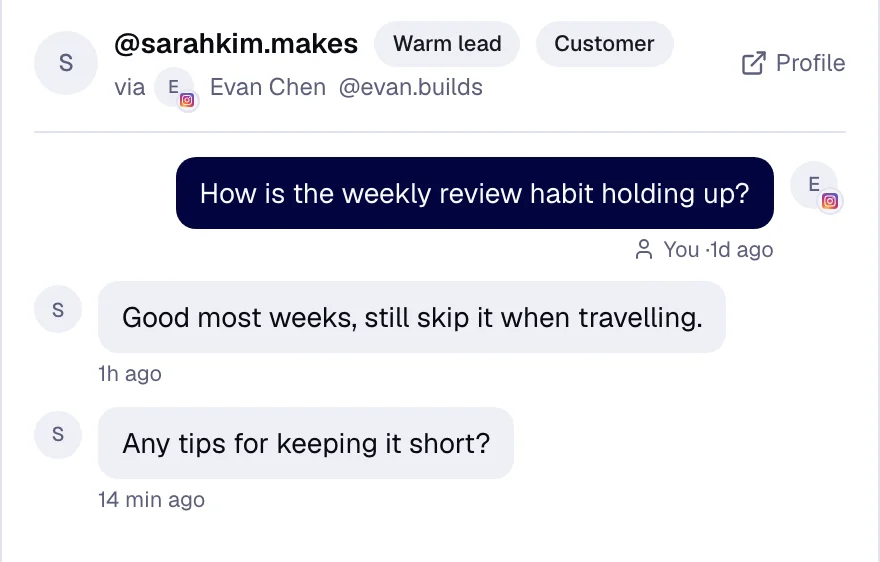
A comment starts the flow. Postlyra answers, then leaves the whole conversation in the shared Inbox for Evan to continue.
Liam Brooks@liamcreates · fictional Instagram contactEvan Chen@evan.builds · workspace ownerHuman takeover readyThe inbox carries Instagram and Facebook Pages live, plus Threads replies and YouTube comments by polling, with history intact for whoever takes over.
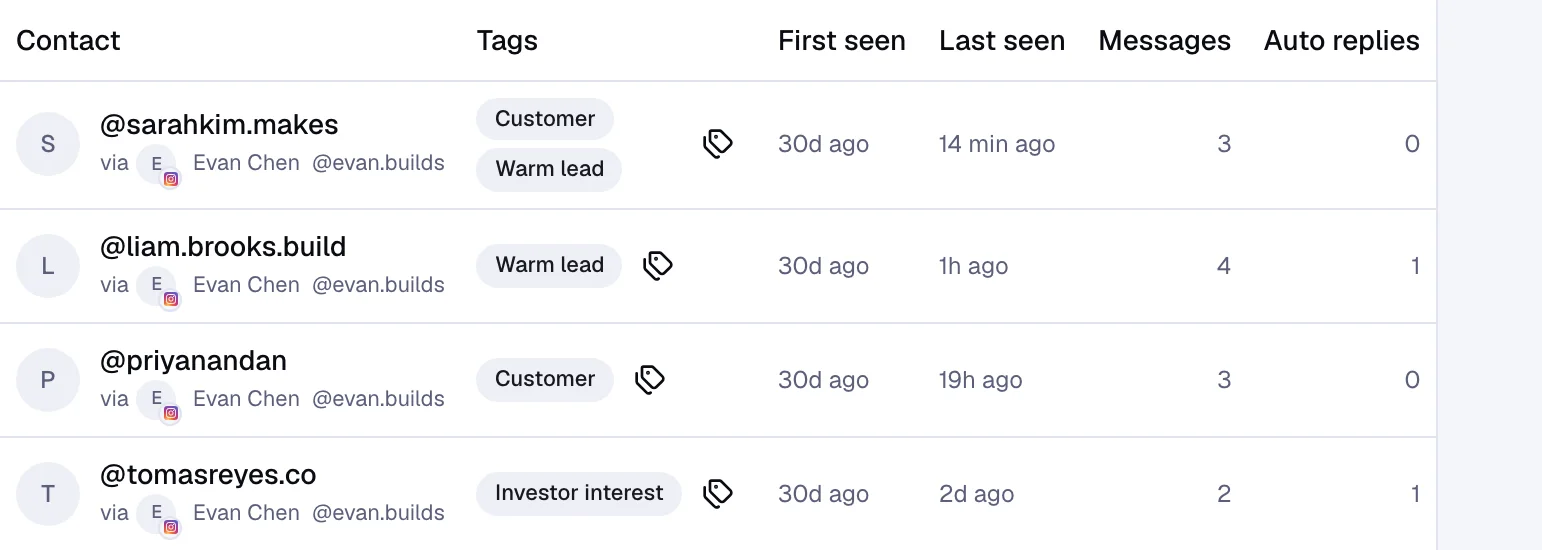
Every sender becomes a contact with tags and history, so a returning person arrives with context instead of as a row of campaign data.
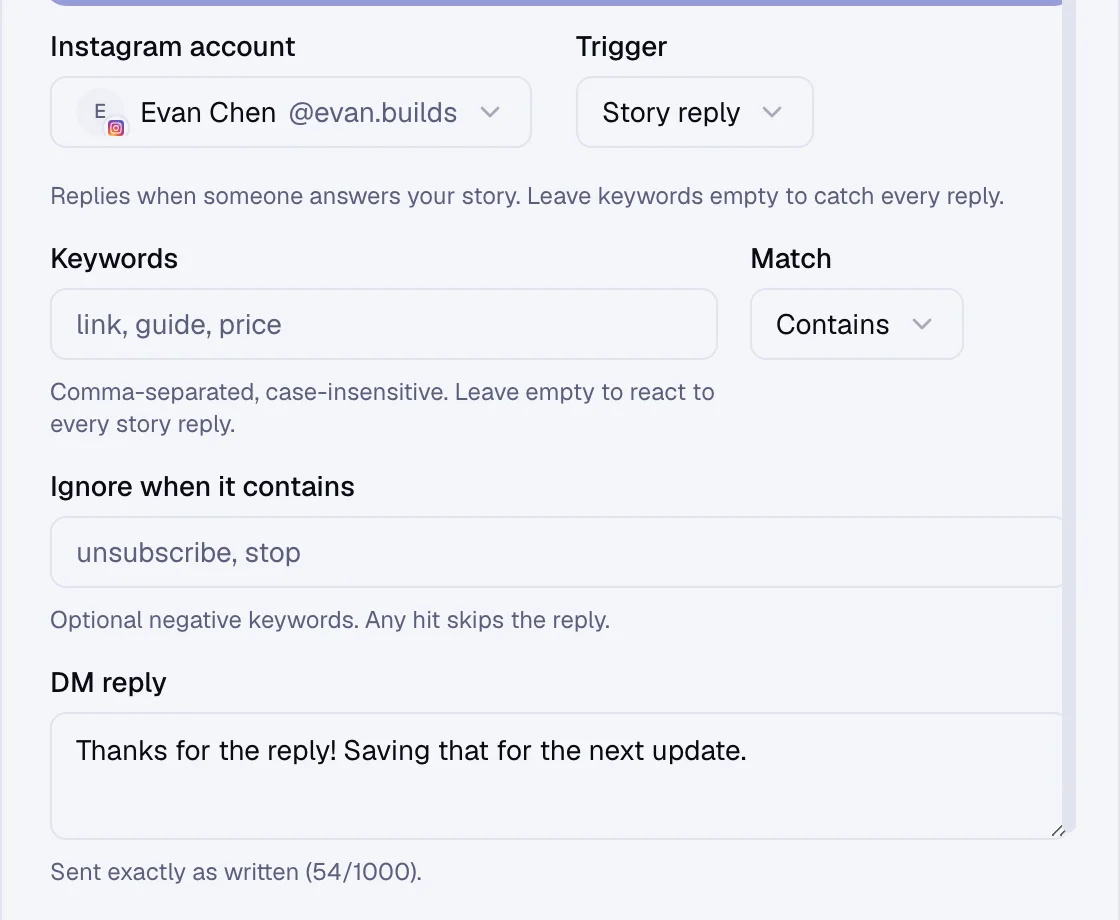
Pick the Instagram trigger, write the response once, and see the enabled scope before the automation goes anywhere near a person.
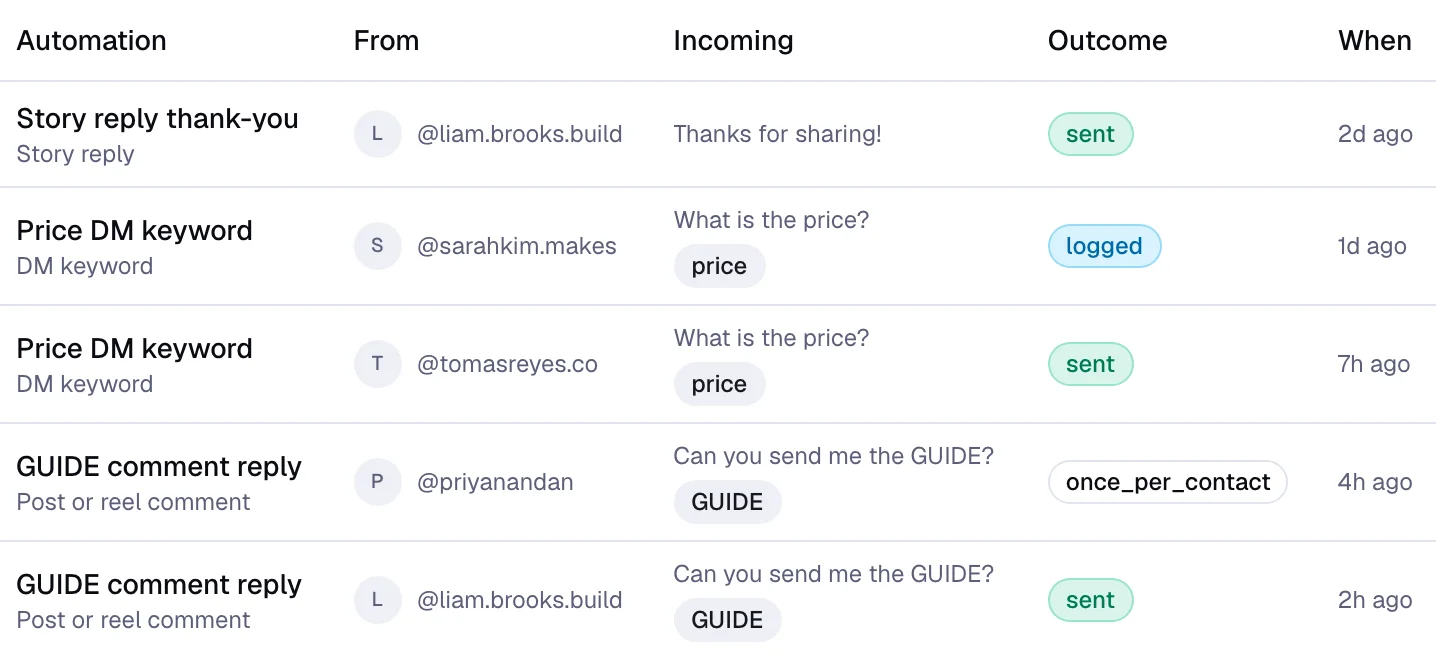
The activity log shows what matched, what replied, and what stopped, with draft, active, paused and handoff states kept explicit.
Automations run on Instagram only. The inbox also carries Facebook Pages live, plus Threads replies and YouTube comments by polling.
A post or reel comment, a DM keyword, a story reply, a story mention, or a default DM reply, each one switched on by name.
A keyword can require an exact phrase, a starting phrase or any match containing it, with exclusion keywords and an opt-in button before it replies.
Automations send only the text written in advance. AI can draft a suggested reply inside the inbox, never sending it on its own.
Walk through the Inbox, contacts, trigger controls, and human takeover with your own account in mind.